Articles
How to Effectively Prompt ChatGPT to Remember Your Conversations
Mar 9, 2024
Enterprise-ready solutions
Currently, ChatGPT has become a capable assistant for many in both their professional and personal lives. However, some users have expressed concerns about its practice of recording conversations and using them as training data, fearing potential personal privacy breaches.
To address this concern, OpenAI recently launched an early test of its "memory control feature" for some free and paid users. This feature allows users to explicitly specify certain details for ChatGPT to remember, while also offering the option to have it forget parts of a conversation. This flexibility empowers users to take more proactive control over how their conversational content is used, effectively protecting personal privacy.
OpenAI pledges to make this "memory control feature" available to all users in the future, further enhancing user trust and satisfaction with ChatGPT.
So, how can users utilize this feature? For example, if a user wants ChatGPT to remember that they live in the suburbs and typically commute by car, they simply need to send the following instruction: "Please remember that I live in the suburbs and usually commute by car." If they wish for ChatGPT's advice and answers to be more child-friendly, they can further add this instruction: "Please remember that I have a toddler."
In the future, when ChatGPT processes related content, it will be able to directly apply this information, effectively saving users' time.
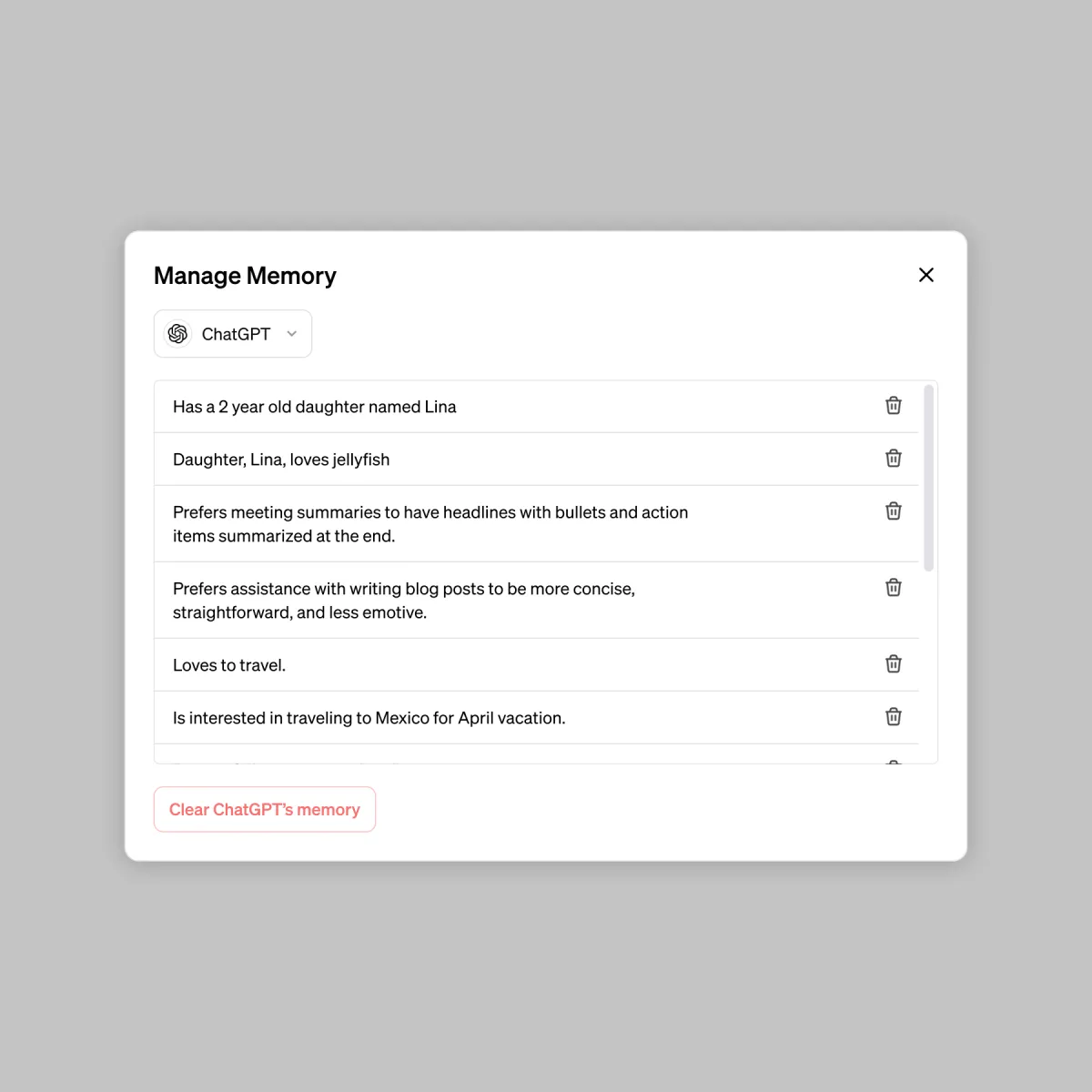
If a user wishes for ChatGPT to forget specific content, they can not only directly inform ChatGPT through conversation but also view and delete specific memories or erase all memories in "Settings." (As shown below)
Beyond managing privacy, knowing how to formulate effective prompts to guide ChatGPT in providing the desired answers is also crucial. When interacting with ChatGPT, choosing the right prompt can directly impact the quality and accuracy of the response. A good prompt should be clear, specific, and relevant to the topic. To receive in-depth answers, consider making your questions or instructions more specific, allowing ChatGPT to better understand your needs and provide accurate responses. In the next article, let's discuss how to craft effective prompts!